Showing posts with label Android. Show all posts

Android App of your web site in 2minutes | How To

Source : Addictive Tips

Disappointed that your favorite website does not have a mobile web variant? Looking for a way to create an app for your own website without having to learn how to code? Look no further. AppYet is a web service that allows you to create, in just a few clicks, reasonably feature-rich and presentable AndroidRSS feed readers for websites of your choice. All you have to do is specify an RSS feed(s) for one or multiple sites of your choice and enter a name for the app. You can alter the package name and icon of the app as well. AppYet adds all information to an app template, builds your app and mails it to the email account that you used to register with the service. More after the break.

AppYet-Android-Website-(RSS)-App-Creation-Web-Service

To begin creating apps with AppYet, head on over to the website (link provided at the end) and Sign Upfor a new account. Once registration is done, simply select Create App from the top-left corner of the page. In the Create New Application page that follows, fill in the required fields and hit Create App. In theRSS/Atom Feed(s) field, you can enter multiple RSS feeds for multiple websites, separating one RSS feed URL from the other with a semicolon (;). From within the next page, you can change the icon for your app and make final changes before clicking on the Submit to Build button within the Submit tab.

After your app is successfully built, AppYet automatically mails it to your registered email account. If the same account is registered with your Android device, you can download the app directly to your device.

Alternatively, you can download it to your computer from the My Apps page. From the same page, you can edit created applications.


The result is impressive, to say the least. AppYet’s RSS reader has a sleek yet simple interface that sports both a light and dark theme, automatic updates after user-defined intervals, the option to restrict background updates for articles and/or their images over WiFi, store image and podcast cache to the SD card, toggle and customize update notifications and back up both application settings and feeds to the SD card.

Another feature that caught our eye was the scrolling feed item bar that appears just above the task bar when an article/feed item is opened. You can swipe left and right across the screen to switch between feed items one by one but said scroll bar provides a much faster, more convenient way of doing so. And no need to worry about it cluttering the screen and ruining your reading experience. The bar disappears as soon as you swipe along the screen/scroll down.

The app allows offline reading and therefore, may take quite some time downloading images during automatic/manual updates for sites or blogs with post frequencies considerably greater than the update interval.

Post-ViewSettings

Read More on Original Address

iTunes 10-5 Mac Windows 32-64 bit

Screen-shot-2011-06-06-at-10.27.10-PM-620x250

 iTunes  10.5 is the latest iTune from Apple which support iOS 5. Currently it is beta stage and not fully released.
For those who want to know how to upgrade to iOS 5 see this link.
iTunes 10.5 Direct Download Links
For Mac Users : iTunes 10.5 for Mac OS
For 32 bit windows users : iTunes 10.5 for Windows 32 Bit
For 64 bit Windows user: iTunes 10.5 for Windows 64 Bit
Any time if link failed please do let me know so that i can give you fresh links.

Samsung Galaxy Root on MAC one click : How To

Root your Samsung Glaxy S models using MAC OS if you are on windows Operating System Please Follow this link Root Samsung Galaxy 2 i9100 Android 2.3.3.

oneclickrootmac_thumb

  • Check on USB Debugging Mode under Menu > Settings > Applications > Development
  • Download Samsung Galaxy S One Click App [Mirror] For Mac if you are on windows follow this link.
  • Install one click rooting app and follow instructions to root your samsung galaxy.
  • After you click Root 2.1 button  the phone will reboot and enters in recovery mode.
  • Select apply sdcard:update.zip for i9000 and i9000M models while pressing Home Button. Or volume down keys followed by power button.
  • That’s All. Samsung Galaxy  is now rooted.
  • After success message your phone will be rebooted, follow on screen instruction.
  • Install Clockwork recovery and ROM Manager from market.
  • Use ROM manage to backup your Samsung galaxy

Root Samsung Galaxy 2 i9100 Android 2.3.3 How To

Tutorial on How to Root your Android 2.3.3 on Samsung Glaxy II i9100
Using Supper One Click App

android-logo

Before Rooting you must be on Windows OS. First of to root your android 2.3.3 device you need to download the following file . Please tell me in comments if download link get down.

Step 1 << Put your Samsung Galaxy in debugging mode. Debug mode can be enabled by going to Settings>>Application>>Development.

Step 2 << Now Goto Flash Mode How by Turning off your Samsung Galaxy and then by holding down Power , Volume Down and Home Button will let you enter in flash mode.

Step 3 << Open Odin3 Downloader and check two options Auto reboot and F. Reset Time.

Step 4 << In Odin3 Downloader window click on PDA, and select downloaded XWKDD.tar and click on Start button. This will take some time and your Samsung Galaxy will be rebooted.

Step 5 << Finally open Super One click app you just downloaded and click on Root Button and you will se a Success Message after a while.

Step 6 << Reboot your Samsung Galaxy and its rooted on android 2.3.3 and enjoy the freedom of rooted phone.

Download Firefox for Android beta

firefox-beta-550x268

Firefox beta  announced for desktop and android and Firefox  become the first mobile web browser which is offering don't track privacy feature  now you have more control on the web surfing using your android devices.
DNT

  • performance enhancements
  • security updates
  • stability improvements to users faster.

Download Firefox for Android beta via Android Market

PC Suite for Android

Snap6
Manage your android device using this nice PC Suite utility. Another PC Suite for your android device.
Snap2
It’s a free desktop utility developed by panda apps.
Snap1

Snap8

System Requirement :

Mficrosoft Windows® XP SP2/SP3 Home Edition/Professional Edition Media Center
• Supports 32-bit/64-bit XP platform
• 300 MHz or faster processor
• 256 MB of RAM minimum
• 100 MB of free hard disk space

Microsoft.NET Framewoks 2.0

Android Driver

Microsoft Windows® Vista® and Vista SP1 Starter Edition/Home Basic/Home Premium/Ultimate/Business
• Supports 32-bit/64-bit platforms
• Must meet minimum Windows Vista operating system requirements

Download Link : Download PC Suite for Android Devices

Adobe Flash player 10.3 for android 2.2

Adobe Flash player 10.3 for android 2.2

Adobe Flash player is a cross platform application that are embedded in web browser. A beautiful presentation of your work in text , photography or in video format can be show up using adobe flash player. In terms of smartphone flash is not so advance , third party application have a capability to show flash content like in opera and cloud browser for smartphones. Now adobe flash player 10.3 update have come which have a capability of faster rendering of graphics and high performance using low resources available on both personal computers and the smartphone.Flash Player include Android, BlackBerry® Tablet OS, and HP webOS.


Following features and added and some of them are enhanced in adobe flash player 10.3 for Mobile Devices.

-Hardware-accelerated video presentation (requires Android 3.1)
-Deeper integration with the Android browser rendering engine (requires Android 3.0.1 or later)
-Sleep mode (mobile only)
-Out-of-memory management
-Multitouch and gestures

-H.264 video hardware decoding
-Accelerometer input

Download Lik : here

Backup SMS from android to Gmail : How To

Think that you are travelling in a train and you thought that you want to back up your SMS , well android apps can do this for you. You can back up your SMS to GMAIL and then can access it any where, Double Treat.

droidSMS

But First you need to configure your GMAIL for email forwarding. This configuration is easy

How to Configure IMAP in GMAIL.

  • Login to GMAIL
  • Go to Setting
  • Under settings go to  “Forwarding and POP/IMAP” TAB
  • Enable IMAP

how to configure imap for gmail

Download SMS Back Up For Android

Download Adobe Photoshop Express Android

adobe photoshop androidEdit Photos any where using adobe utlity Adobe Photoshop, which is very power full and dominating picture editing software. By using this on your android device you can share your photos on the go too and access on all any where from photoshop.com

System requirements
  • Android 1.5 or later

adobe photoshop for android deviceFollowing Features are involved in Mobile Edition.

  • crop
  • Rotate.
  • Adjust
  • Color
  • Add Artistic Effects.
  • straighten
  • Add borders


adobe photoshop for android

Adobe Photoshop for Android is available in Android Market

See official Page of Adobe Photoshop Express

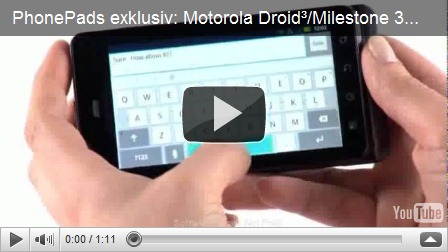
Motrola Droid MilesTone 3 Review

14601v1-max-150x150[1]The Motorola Droid (stylized as DROID; GSM/UMTS version: Motorola Milestone) is an Internet and multimedia enabled smartphone designed by Motorola, which runs Google's Android operating system. The brand name Droid is a trademark of Lucasfilm licensed to Verizon Wireless.
Motrola Droid MilesTone 3 Review Video part 1
Motrola Droid MilesTone 3 Review Video part 2
Motrola Droid MilesTone 3 Review Video part 3

Download Twitter for Android Foryo Support

Download Twitter for Android Foryo Support
This is official twitter client for Android users. The latest update comes with many features, Its the same user experience as you are using twitter on your system.
Browse interests

  • Find and follow friends
  • Tweet
  • Retweet
  • Favorite
  • Direct Message privately with your followers
  • Share photos, videos and web pages
  • Real-time search
  • View maps
  • Trends.

Download Adobe Flash Player 10.2 Android 2.2

flash player android

This is a finished production quality release for Android 2.2 and 2.3 devices and a BETA release for Android 3.0.1+ tablets. Please check with your device manufacturer or carrier to ensure you have the latest firmware update for your device. If you experience any issues with this BETA release, then you can provide us feedback at: http://bugs.adobe.com/flashplayer/.

Flash Player delivers access to your favorite web videos, games and interactive content. Flash Player on your device gives you:
• The freedom to access the same rich web content you experience on a desktop PC from your mobile device - anywhere, anytime;
• Uncompromised browsing without ‘empty boxes’ on web pages.

Follow Here

Recommended